




TL;DR
- Shelly produces flexible smart devices for home automation. They use an open wireless access point for initial configuration
- The new Shelly Gen 4 devices keep the default open AP enabled even after it’s been connected to an existing wireless network.
- Earlier Shelly generations automatically disabled the AP after initial configuration
- It is possible to pivot and control all other non-vulnerable Shellys on the internal network
- Owing to a TLS mishandling issue with the G3 controllers, an outside attacker could send network traffic through the G4, onto the G3 and further attack HTTPS devices on the home network
- When used for doors, gates, or garage doors, this creates a physical security risk
- These APs can be discovered and geolocated at scale using wigle.net
- Shelly was initially unresponsive, then replied that firmware 1.8.0 would address the issue, but went quiet again when asked for a timeframe
- This was frustrating, as it’s trivially easy for users to disable the offending access point manually. Some simple customer communications from Shelly would have alerted owners to the issue
- As it’s well over 90 days since initial disclosure, also that the open APs can be easily geo-located using wigle.net, we now feel that owner interest is better served by publication, so customers can take action themselves
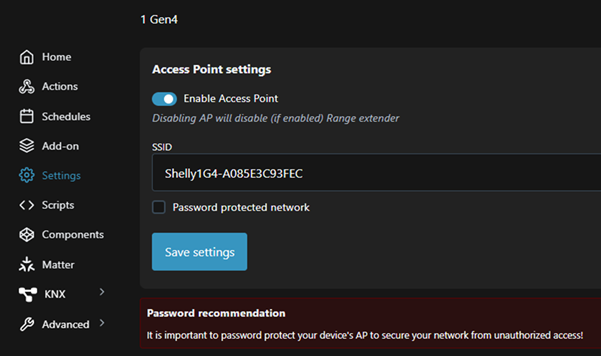
- Contrary to the advice from Shelly, no warning is displayed to disable the access point during manual configuration
Introduction
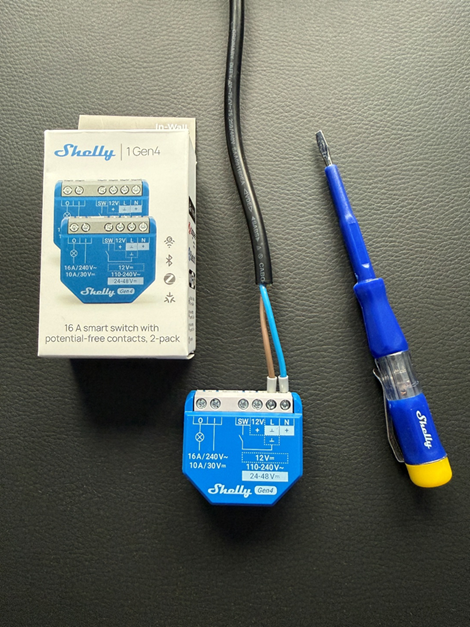
I love my Shelly devices. They are an essential part of my smart home setup. I use them for everything from lights and plugs to garage doors and garden sprinkler control! One of the first Shelly devices I installed about five years ago recently stopped working, so I replaced it with one of their new fourth-generation Shelly 1 devices. That’s when I noticed an issue I hadn’t seen in previous generations.
The initial setup
The first thing I usually do with the Shelly devices is to update the firmware and connect it to my IoT network so that I can set it up with a static IP. It’s common for IoT devices to have a default wireless access point (AP) that is used for the initial setup of the device. The Shelly devices always start with “Shelly”, so they are easy to spot in the list of available networks.
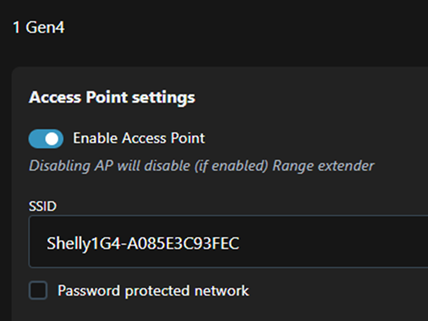
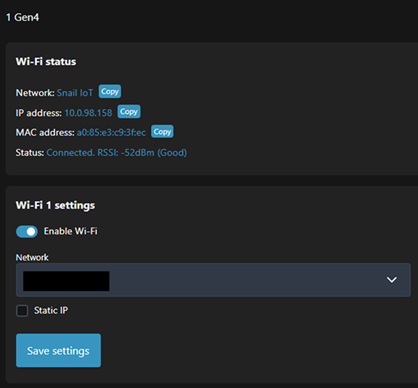
That access point then usually disables when the device becomes a client on an existing wireless network. That was always the case with the older generation of Shelly devices, but in this new gen 4 device, the AP remains available even when connected to another wireless network.
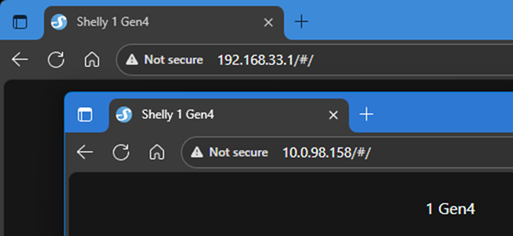
The only clue that the Shelly also has an access point available is in the top status bar, however, this could be easily missed.

What’s the problem?
Having the default AP available could allow a nearby attacker to fully control the Shelly. As well as obvious control over the connected electrical appliance, they could upload their own firmware for persistence or receive remote notifications on the device’s status. If the Shelly was connected to something like a light switch, the attacker could gain presence information.
A more malicious attacker could set the device to power off and on every second, possibly causing damage to the appliance.
Pivoting to non-vulnerable devices
An often-overlooked issue of being able to compromise devices is that it’s likely also connected to another wireless network. This means that an attacker can pivot from one device to other devices on a different network.
This simple script was used to activate a non-vulnerable Shelly on the same network. Of course, this assumes there is no password on the other Shelly, but that’s still the default setting and I’d imagine many, if not most, people don’t set one on segregated VLANs.
Shelly.addEventHandler(function (event) {
    if (event.component === "switch:0" && event.info.state === true) {
        Shelly.call(
            "HTTP.GET",
            { url: "http://10.0.98.221/light/0?turn=on" },
            function (response, error_code, error_message) {
                if (error_code !== 0) {
                    print("Error sending command:", error_message);
                } else {
                    print("Remote Shelly switched ON");
                }
            }
        );
    }
});
This means that installing a Gen 4 Shelly as a simple light switch controller in your house, could leave a backdoor to all other Shelly devices. This could include physical security such as a garage door. One misconfiguration leaves everything vulnerable.
With this level of access inside a home network, it may be possible to further compromise other devices on the internal network over HTTP.
One good thing in the new Gen 4 Shellys is enforced validation of the full TLS certificate chain. This means that the Gen 4 Shellys won’t connect to devices with a self-signed certificate and unlike in previous generations, you can’t override it. It may, however, be possible to create a proxy handler within the scripting environment of a Gen 4 and use that to compromise a previous generation Shelly. That would allow connections to internal devices that only provided an HTTPS interface.
What else are they used for?
Many people, myself included, use Shelly devices to control garage doors, gates, and other points of physical access. Shelly actively promotes this use case, encouraging customers to connect these devices to doors, garages, and gates.
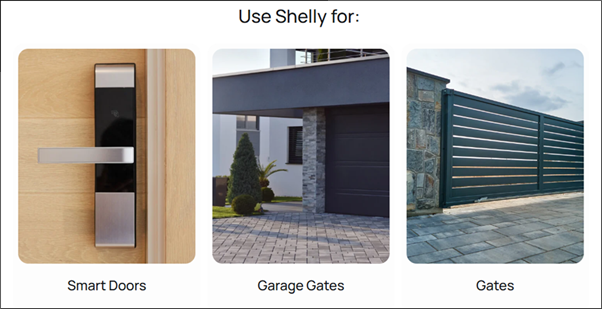
When a Shelly device is used in this way and has a default access point, this becomes a physical security risk. Anyone within wireless range can connect to the device and trigger the relay. A single unauthenticated request such as:
http://192.168.33.1/relay/0?turn=onThis is enough to open a gate, door, or garage.
The video below shows this happening on my own garage door.
Using wigle.net to find thousands of vulnerable Shelly devices
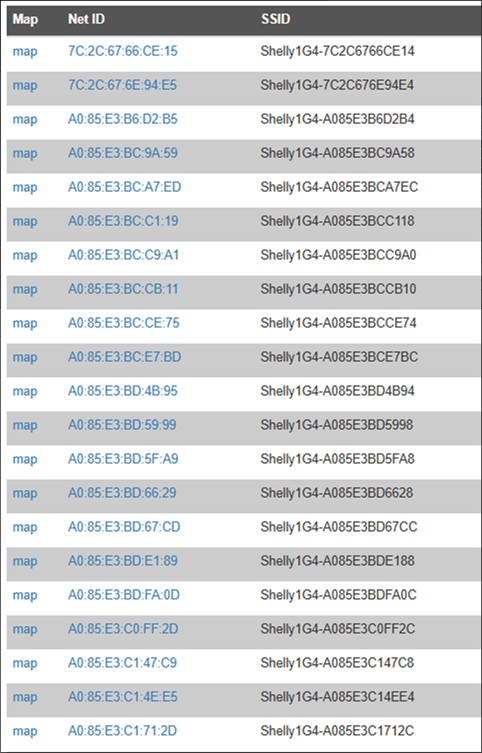
My colleague, Ken, is a big fan of the Wi-Fi mapping site, wigle.net. This lets you search for SSIDs and it’ll show the physical location of the wireless network. There are thousands of Shelly devices with default SSIDs on the site, and even some with “Garage” in the network name!
Unless installers now take an additional security step and disable the default AP, many homes and garages will become vulnerable.
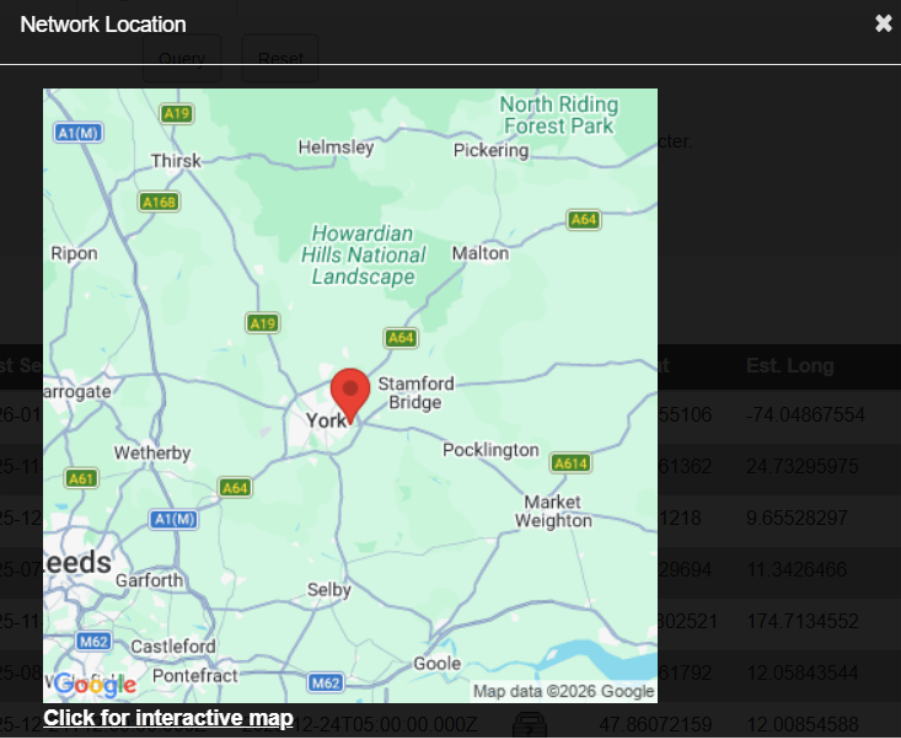
Here’s one on the outskirts of York. We can drill right down to the house number, though this image is intentionally zoomed out to avoid identifying owners too directly.
How to disable the default AP
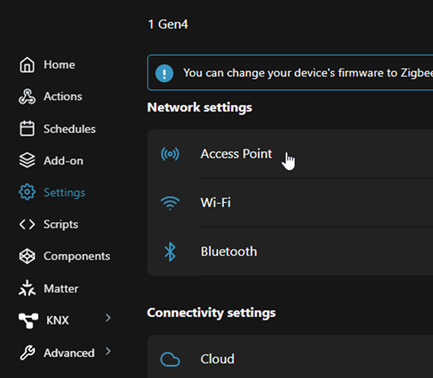
After checking access is possible via the existing wireless network, the default AP can be disabled by going into Settings -> Access Point and then toggling the Enable button.
Disclosure timeline
03/10/2025 – Notified Shelly via their website form. Promised a technical response within 30 days
30/10/2025 – Emailed [email protected] to confirm they received the web report – no reply
05/11/2025 – Messaged their Facebook support group asking for a security contact
05/11/2025 – Response on Facebook and sent DM to Todor Tsvetkov
06/11/2025 – Sent details of the vuln to Todor Tsvetkov
17/11/2025 – Shelly responded saying that the unprotected AP will be disabled outside of the device’s commissioning window in firmware 1.8. They asked if I’d like to beta test it and I replied, saying, ‘Yes please.’
05/02/2026 – No beta received or further contact from Shelly and it’s now 125 days since Shelly was notified. Disclosure
Conclusion
It’s a strange decision from Shelly to force users to take the necessary security step to disable the AP. It’s especially worse for users with experience of the Shelly devices – they never had to manually disable the AP before, so they may not think to do it now.
We have flagged this to Shelly in the hope that they update the firmware, but felt that it was more important to alert users to the issue and the workaround in the meantime.
This extra security step will likely catch out many experienced installers and as these new Shelly Gen 4 devices become more commonly deployed, I’m sure it won’t be long before there are attackers in your light switch or having a peek in your garage!













